
~/work>commando
Commando
The command launcher that already knows your terminal.
Search cheat sheets, project commands, bookmarks, and shell history in one fast TUI. Fill in arguments, review the result, and run it on your terms.
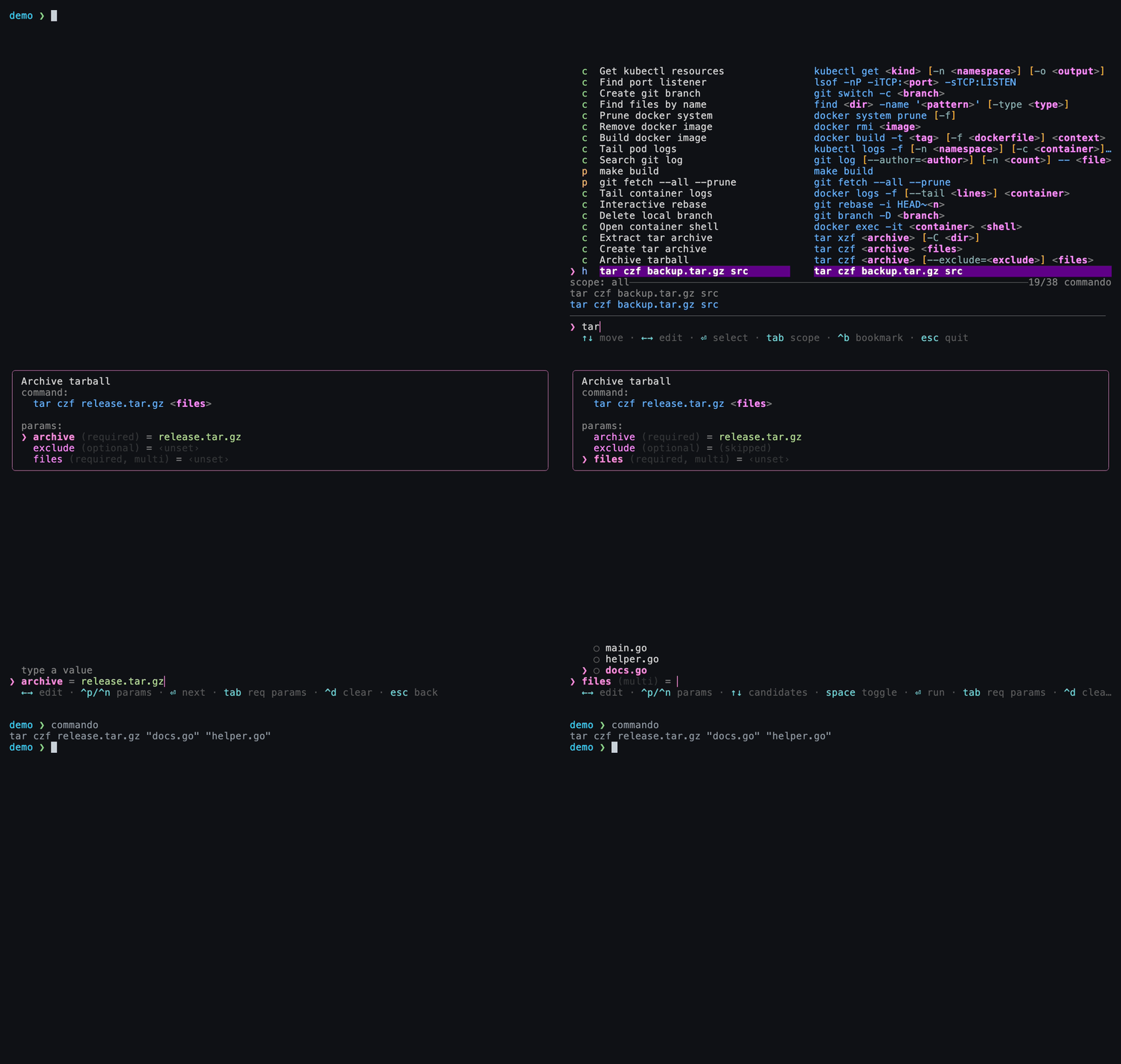
One launcher. Every command source.
Existing tools each solve part of the problem. fzf searches, cheat tools
template, history tools recall — but none of them combine those into one flow
with first-class optional and multi-select parameters, plus memory that
learns your habits. Commando is the one resolution engine behind all of it.
-
01 Cheat sheets
Parameterized, reusable command templates in plain TOML. Optional segments, multi-select, candidate lists, previews, and shared variable groups.
-
02 Project commands
maketargets,npm/yarn/pnpmscripts,cargo, Gradle,just, docker-compose services, and git actions — auto-detected from your folder. -
03 Shell history
Read live from your shell's history file, fuzzy-searchable, with a configurable redaction denylist for secret-looking commands.
-
04 Argument memory
Commando remembers the values you enter per variable and ranks them by frecency — recency × frequency — so hot values rise to the top.
-
05 Optional & multi params
Skip an optional field and its whole
[...]fragment disappears — no dangling flags. Multi-select fields format and join values for you. -
06 Plain files, no database
Every piece of state is a human-readable TOML file you can
cat,grep, and hand-edit. Nothing is locked in an opaque store.
From prompt to command in seconds
# Install and wire up your shell (Zsh shown; Bash and Fish are supported)
curl -fsSL https://raw.githubusercontent.com/Gokuldroid/commando/main/install.sh | sh
echo 'eval "$(commando init zsh)"' >> ~/.zshrc && exec zsh

# Summon the launcher, or press Ctrl-G at any prompt
commando

# Search, fill arguments, then review the finished command on your prompt
Commando never runs your command for you by default. It assembles it and
hands it to your shell line editor, so cd, environment variables, and aliases
all keep working — and you get the last word before anything executes.