
Argument memory
Commando remembers the values you enter for a variable and offers them back next time as ranked candidates — most useful values first. Memory is on by default; you don't have to configure anything.
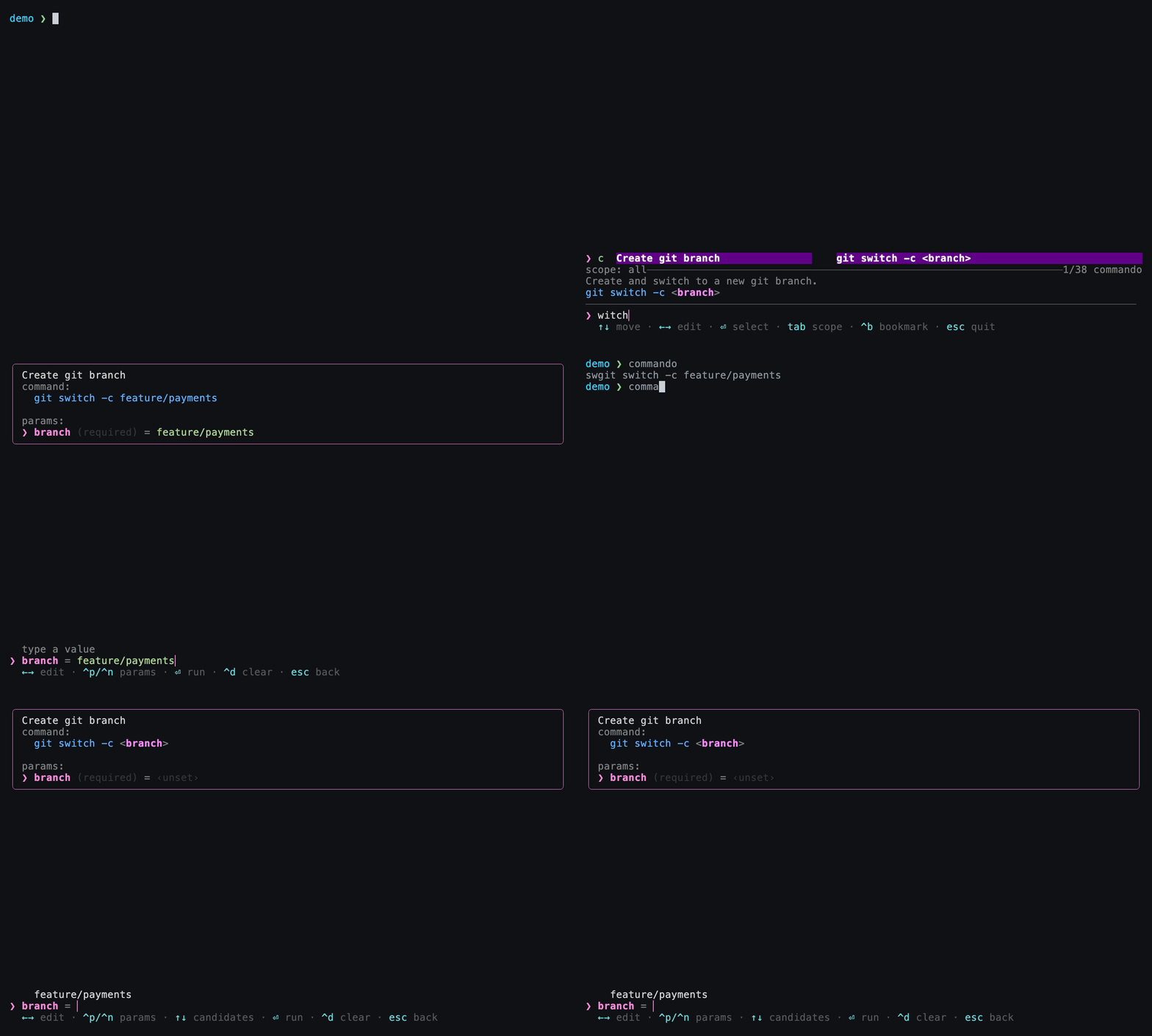
Enter a branch name once — on the next summon it's waiting as a remembered candidate, no retyping.
How it works
Every time you finish a command, Commando records each variable's value in
~/.local/share/commando/memory.toml, keyed by
(command, variable, scope). The next time you fill in that variable, the
remembered values appear as candidates above the input, most-recently-used
first.
# ~/.local/share/commando/memory.toml (excerpt — plain and editable)
[[entry]]
command  = "..."
variable = "branch"
scope    = "project:/Users/you/repo"
value    = "feature/login"
freq     = 7
last_ts  = 1751500000
Frecency ranking
Remembered values aren't ordered by recency alone — they're ranked by
frecency, a blend of how often and how recently you used each one
(the same idea behind z/zoxide). A value you use constantly stays near the
top; a one-off you entered last week sinks. Hot values rise automatically.
Scopes — the remember field
The remember field on a variable controls where a value is remembered:
remember |
Behavior |
|---|---|
| (unset) | Default. Remember globally — offered everywhere. |
global |
Same as unset: remembered across every directory. |
project |
Remembered per git project (keyed by the repository root). |
dir |
Remembered per working directory. |
none |
Opt out — never store values for this variable. |
[[cmd.var]]
name     = "branch"
src      = "git branch --format='%(refname:short)'"
remember = "project"   # branch names are per-repo, so scope memory to the repo
Choosing a scope is about relevance: a branch name only makes sense inside
its repo (project), a build output path might be per-directory (dir), while
your favorite AWS region is the same everywhere (global).
Secrets — always use remember = "none"
Never remember sensitive input
Any variable that can hold a token, password, or other secret should set
remember = "none" so its values are never written to
memory.toml:
This is separate from history redaction, which
hides secret-looking commands from the history list. remember = "none"
controls what gets stored as remembered variable values.
How remembered values behave in the form
- They appear as candidates in the list above the input, ordered most-recent first. They are never typed into the input automatically.
- For a list field (one with a
srccommand), pressing Enter on an empty input picks the top candidate. - For a plain field (no
src), Enter never auto-fills a remembered value — select one deliberately with Up then Enter. - An author-defined
defaultstill pre-fills the input regardless of memory.
Editing or clearing memory
memory.toml is a plain TOML file — open it, edit it, or delete entries by
hand. To wipe all memory, delete the file; Commando recreates it as needed.
Next
-
Where
remembersits among a variable's other options. -
The full layout of Commando's plain-file state.