
Project commands
Commando inspects the folder you're in and surfaces the commands that folder
already knows how to run — no configuration required. Open the launcher inside a
Node project and you'll see its npm scripts; inside a Rust crate, its cargo
commands.
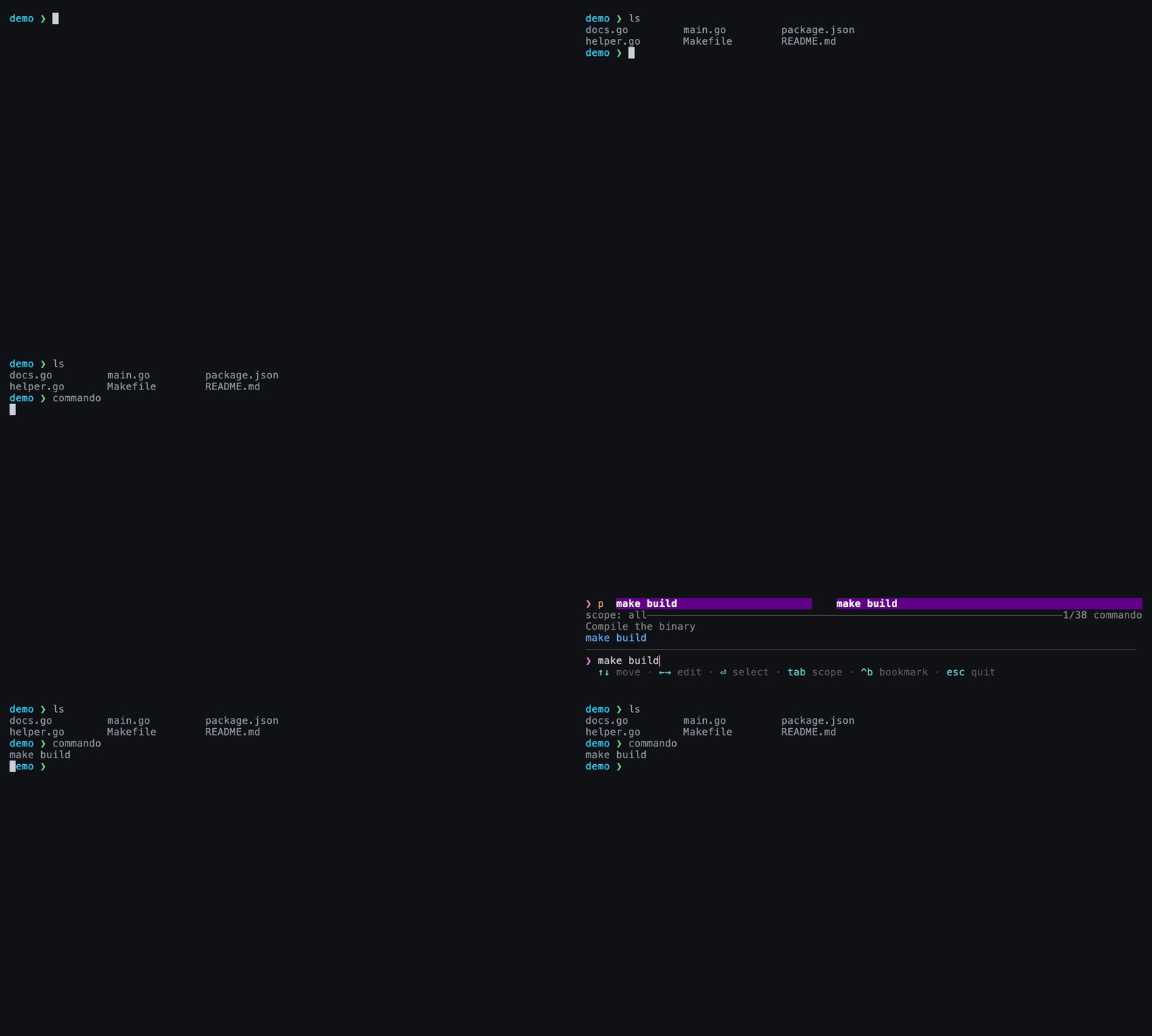
A repo with a Makefile and package.json: searching “make build” surfaces make build — detected automatically, zero config.
How detection works
When you summon Commando, it walks up from your current directory looking for marker files. Each marker it finds contributes a set of entries. The walk is scoped to the enclosing project, so it doesn't climb all the way to your home directory.
Built-in detectors
| Marker file | Provider | Contributes |
|---|---|---|
Makefile |
make | One entry per target (make <target>) |
package.json |
npm / yarn / pnpm | One entry per scripts key |
Cargo.toml |
cargo | Common subcommands: run, test, build, bench, … |
build.gradle / build.gradle.kts |
gradle | Common tasks (uses ./gradlew when present) |
justfile |
just | One entry per recipe |
docker-compose.yml / .yaml |
compose | up -d, down, plus per-service logs/restart |
.git |
git | Contextual actions: status, pull --rebase, push, fetch --all --prune |
These entries flow into the same fuzzy list as your cheats, history, and
bookmarks — search build and you'll see make build, npm run build, and
cargo build side by side, ranked by how often you run each.
Node package manager
For package.json scripts, Commando emits the run command appropriate to
the project (npm / yarn / pnpm) based on what it detects.
Defining your own provider
Any tool with a marker file and a listing command can become a provider. Add a
[[provider]] block to your config file:
# ~/.config/commando/config.toml

[[provider]]
name     = "task"                                   # (1)!
detect   = "Taskfile.yml"                           # (2)!
list     = "task --list-all --silent | awk '{print $2}'"  # (3)!
template = "task {}"                                # (4)!
cache    = "5m"                                     # (5)!
name— label shown for these entries.detect— marker filename that must exist (found by walking up from cwd).list— shell command producing candidate items, one per line.template—{}is replaced by each item as one safely quoted shell argument.cache— optional non-negative duration to cache thelistoutput, for slow listers.
Provider fields
| Field | Meaning |
|---|---|
name |
Display label for the provider's entries. |
detect |
Relative marker path that triggers the provider when found. |
list |
Shell command whose stdout lines each become a candidate item. |
template |
Command template containing {}; each occurrence receives the quoted item. |
cache |
Optional cache duration (e.g. 5m, 1h) for slow list commands. |
Each output line is data, not a shell fragment. A line such as release prod
becomes task 'release prod', and shell metacharacters remain inside that
argument. Keep flags and shell syntax in the authored template, not in lister
output.
Example — re-declaring the built-ins
The built-in make and npm providers are equivalent to:
[[provider]]
name     = "make"
detect   = "Makefile"
list     = "grep -E '^[a-zA-Z0-9_-]+:' Makefile | cut -d: -f1"
template = "make {}"

[[provider]]
name     = "npm"
detect   = "package.json"
list     = "jq -r '.scripts | keys[]' package.json"
template = "npm run {}"
Cache slow listers
Tools like Gradle can take a second or two to enumerate tasks. Add
cache = "5m" so Commando reuses the last listing instead of re-running the
command every time you open the launcher.
Next
-
The other zero-config source — your own past commands.
-
The complete
config.tomlreference.